Cart
Your shopping cart is empty!
It's never too late to make things right :)



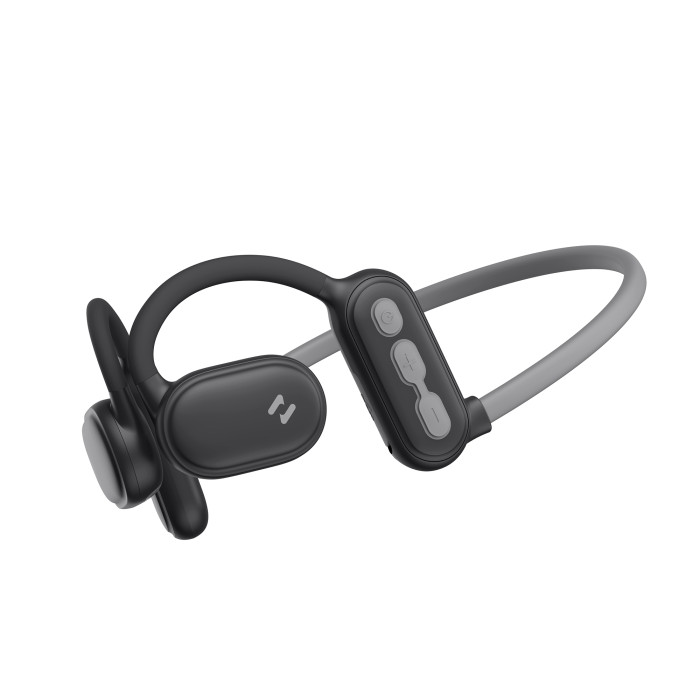


HAVIT E553BT "FREEGO PRO" ENC Black Wireless Headphones are stylish and practical wireless headphones for sports. They will appeal to a wide range of users, but they are designed primarily for those who enjoy an active lifestyle. HAVIT HE553BT is ideal for running, cycling, hiking, yoga, working out in the gym, etc. Speaker size - 15 mm. The headphones have a dual microphone with noise reduction of sounds from the environment (ENC) and directional sound technology, which makes the sound clearer for the user. They have the latest version of Bluetooth V5.3. Playback time is up to 16.5 hours. Call time is up to 9.5 hours. They charge in just 2 hours. The headphones have an IPX5 rating, protecting them from accidental splashes. FREEGO PRO headphones are the perfect choice for active people. They feature an open-ear design made of skin-friendly material and a memory foam headband. The headphones come with a USB-C charging cable, user manual, and warranty card. The headphones feature convenient controls for adjusting volume, skipping tracks, and managing calls. A built-in microphone allows for mobile communications on the go. One-year warranty.
Turning the headphones on and off
1. To turn on, press and hold the power button for 3 seconds. When turned on, the indicator light will flash red and blue. 2. To turn off the device, press and hold the power button for 5 seconds, until the indicator light turns off.
Wireless connection playback
After turning on the headphones, turn on Bluetooth and search for ready-to-connect devices, then select "HAVIT FREEGO PRO". The next time you turn on the headphones, they will automatically connect to the device they last connected to.
Headphone control
1. To play/pause, press the power button on the headphones. 2. To play the previous track, press and hold the volume down button for 2 seconds.
3. To play the next track, press and hold the volume up button for 2 seconds.
4. To decrease the volume, press the volume down button once.
5. To increase the volume, press and hold the volume up button once.
6. To answer or end a call, press and hold the power button once.
7. To reject a call, press and hold the power button for 2 seconds.
8. To summon your voice assistant, press the power button 3 times.
CHARGING
The battery is charged using the included USB-C cable. We recommend charging with a DC 5V, 1A power source from a laptop or PC rather than a wall adapter. While charging, the indicator on the headphones glows red. When the battery is charged, the indicator glows blue.
Factory Reset
If the headphones fail to connect or frequently disconnect from your device, restore factory settings. Turn on the headphones and simultaneously press and hold the volume down and volume up buttons. The indicator will flash three times to indicate a factory reset. After the reset, try connecting the headphones to your device again.
Safety Precautions
1) Do not charge the device with incompatible power adapters.
2) Use near heat sources or mechanical damage may cause premature failure of the device, affecting hearing and the lifespan of the device.
4) Avoid contact with liquid.
5) Do not disassemble the device.
There are no reviews for this product.


